top of page
Professional using WiseeLAB multi-display workspace monitors in a modern office, displaying market charts, trading platforms, analytics dashboards, and financial data across multiple screens.

More Context.
Less switching.

WiseeLAB designs multi-display workspace products that extend your existing computer setup.

PERSISTENT INFORMATION SPACES

REDUCED CONTEXT SWITCHING

MODULAR WORKFLOW EXPANSION

A workspace built for modern work.

Why WiseeLAB

Designed for the way

people work now.

Modern work rarely happens in a single window.

We research, compare, write, communicate, analyze, and decide — often all at once.

WiseeLAB develops workspace products that help professionals keep important context visible, organized, and ready to use.

(01)

(02)

(03)

See More

Keep essential information visible without constantly switching windows.

Switch Less

Reduce fragmented attention caused by tabs, overlays, and repeated app switching.

Stay in Flow

Create a workspace that supports focus, comparison, and decision-making.

Wisee Cockpit Monitor

Featured Product

An expandable display system that extends your existing PC setup.


Wisee Cockpit Monitor adds independent screens around your main display, helping you build a flexible cockpit-style workspace for high-density digital work.
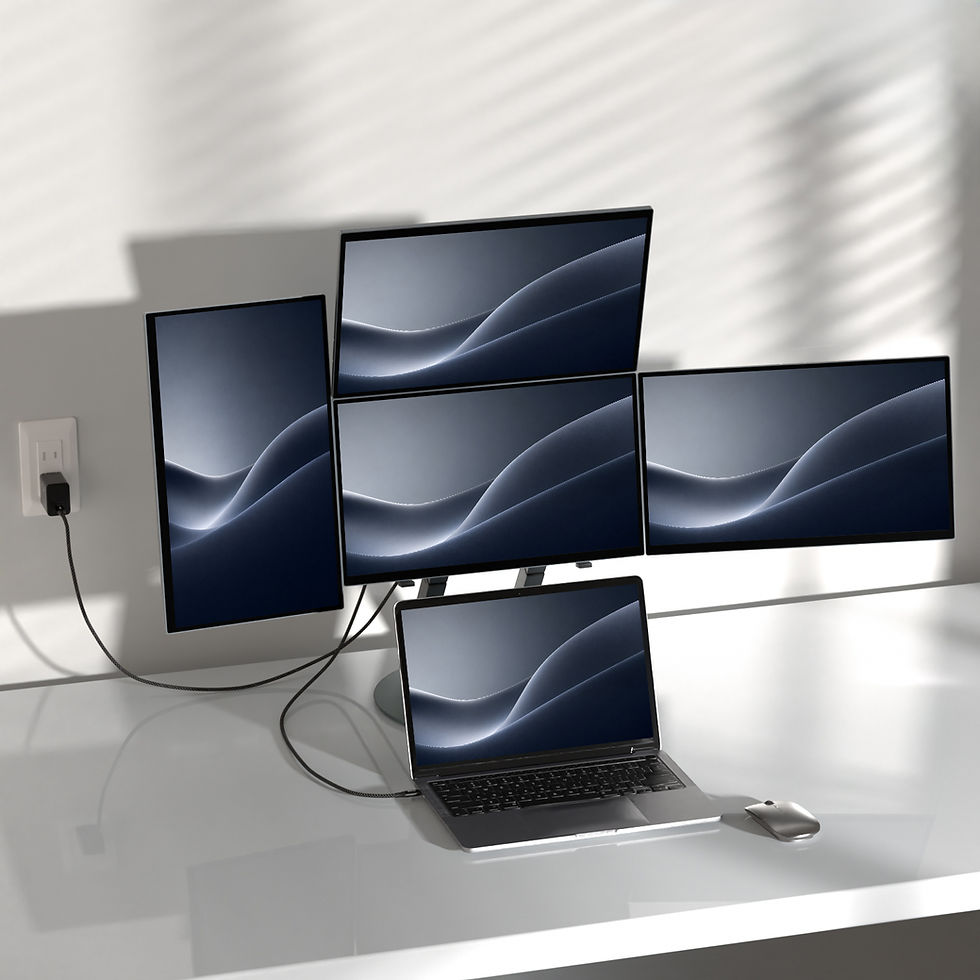
Wisee Cockpit Monitor connected to a laptop in a multi-screen workspace setup with vertically and horizontally arranged displays.

Expandable Multi-Display Workspace

Create an expanded workspace from a single computer.

Flexible Wisee Cockpit Monitor screen layout showing multiple display arrangement options for different digital workflows.

Flexible Layout

Arrange screens vertically or horizontally to match your workflow.
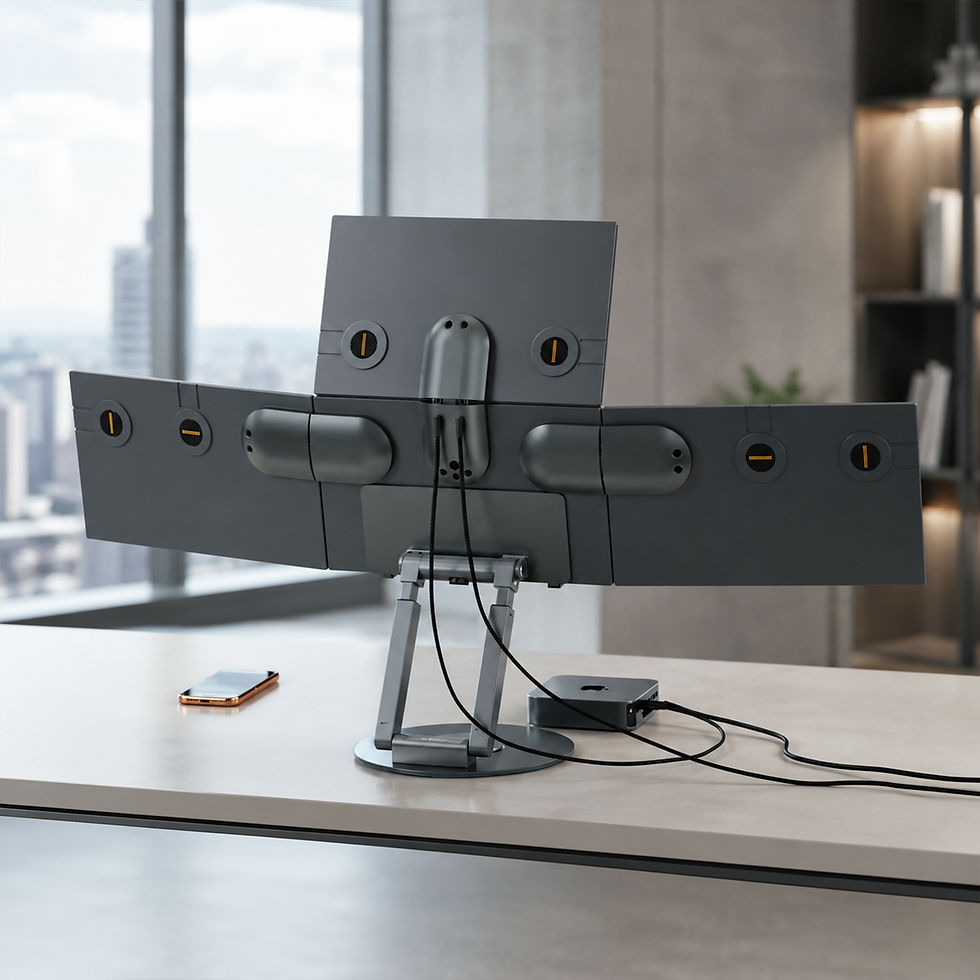
Rear view of Wisee Cockpit Monitor setup designed to simplify cable management and workspace organization.

Simplified Setup

Designed to reduce cable complexity and setup friction.

Professional workstation using Wisee Cockpit Monitor as an expandable multi-screen system connected to an existing computer setup.

Built for Existing PCs

Extend your current workspace without replacing your main monitor.

Use Cases

Built for workflows that depend on visible context.

01

02

AI Workflows
Trading & Analysis

Keep AI tools, source materials, drafts, and communication visible at once.

Monitor charts, news, watchlists, and execution tools in one expanded view.

03

04

Creative Work
Business Operations

Separate references, timelines, previews, assets, and feedback without losing focus.

Compare dashboards, spreadsheets, reports, emails, and internal tools side by side.

Not just more screens.

A different way to structure work.

Woman working with WiseeLAB multi-display workspace monitors showing documents, spreadsheets, communication tools, and browser content in a structured digital workflow.

Concept

WiseeLAB does not design displays simply to increase screen count.


We design workspace systems that help people arrange information, maintain context, and move through complex work with less friction.

Business professionals meeting and shaking hands in a modern office during a partnership discussion with WiseeLAB.

Partner with WiseeLAB

WiseeLAB works with partners who want to bring next-generation workspace products to more professionals, teams, and organizations.


Whether you are a distributor, retailer, business solution provider, media partner, or product development partner, we would like to hear from you.

bottom of page